1. Salesman Master
View & manage salesman details such as salesman code, name, contact number and other pertinent details (as required).
1.1 Add/Edit Salesman
- Navigate to Customer > Salesman.
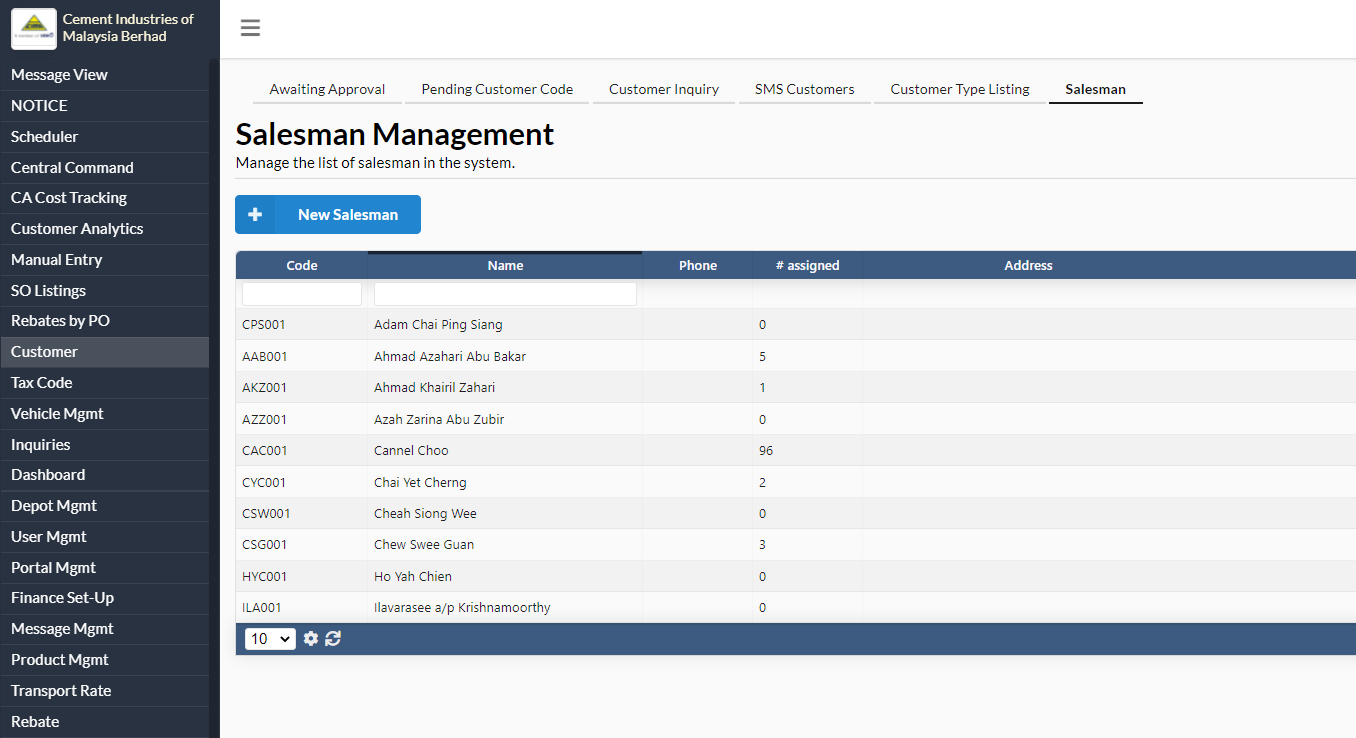
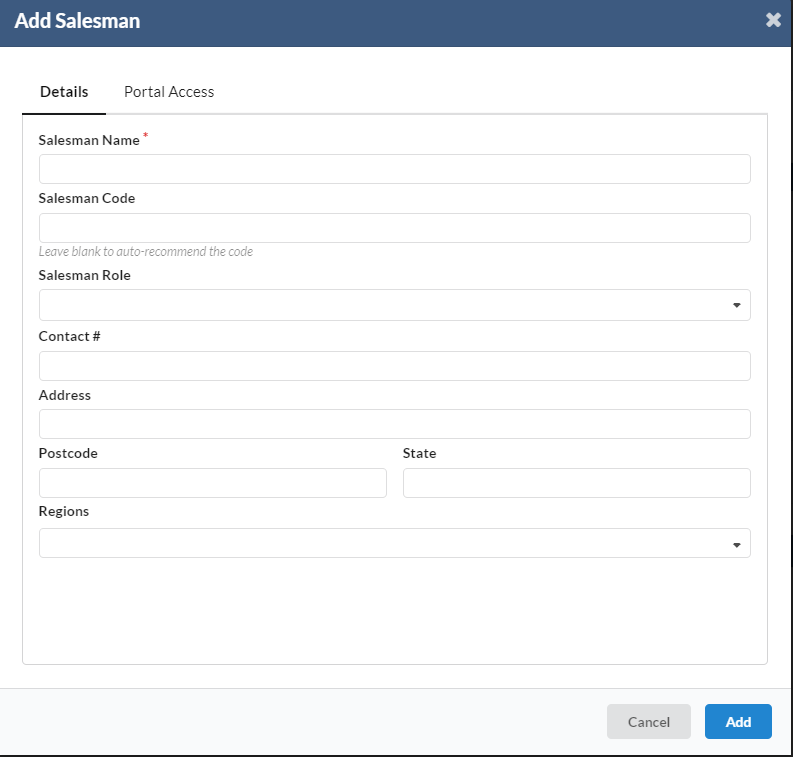
Fill in salesman code, salesman name, contact number, address, postcode and state. Click Add once done.
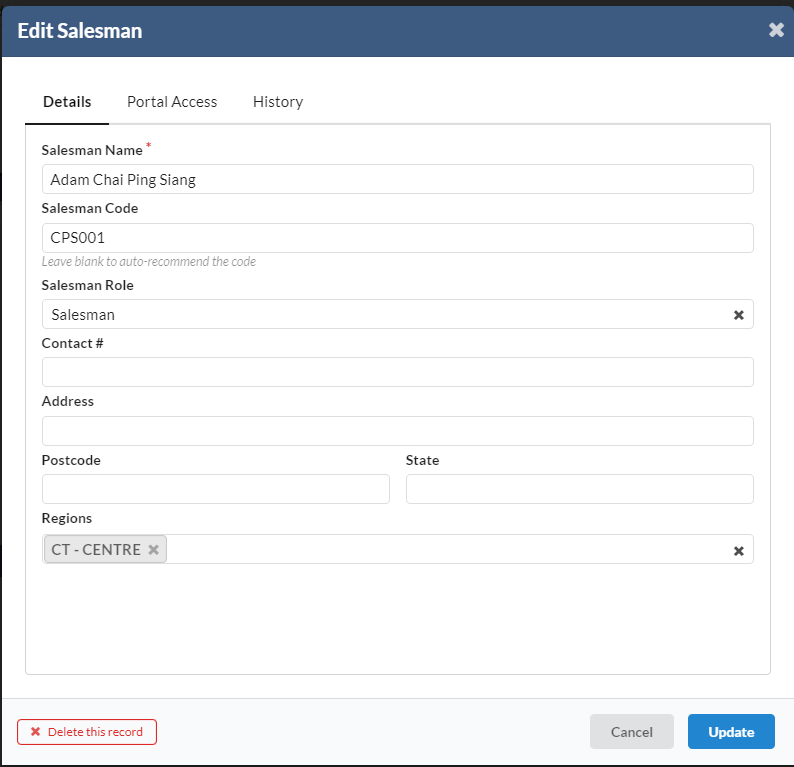
To edit salesman details, click on the salesman name.
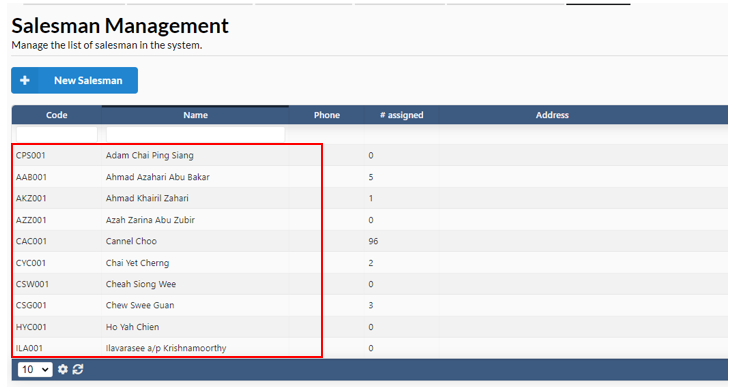
A dialog box will popup to edit or delete salesman.
1.2 Salesman Assignment to Distributor
As a distributor can deliver to multiple states, the system shall allow the user to assign a salesman to each unique combination of distributor & state. Example below:
Distributor | Region | State | Salesman |
CH0102 PP Chin Hin Sdn Bhd | Central | NS | Central Salesman |
SE | Central Salesman | ||
South | JH | South Salesman | |
MC | South Salesman | ||
North | KD | North Salesman | |
PK | North Salesman | ||
PS | North Salesman | ||
PW | North Salesman | ||
East | KE | East Salesman | |
PH | - | ||
TG | - |
1.2.1 Assign, Change and Clear Salesman
To assign salesman to region, navigate to Customer > Salesman.
Click on the name of the Salesman. System will prompt a dialog box to assign salesman according to the region.
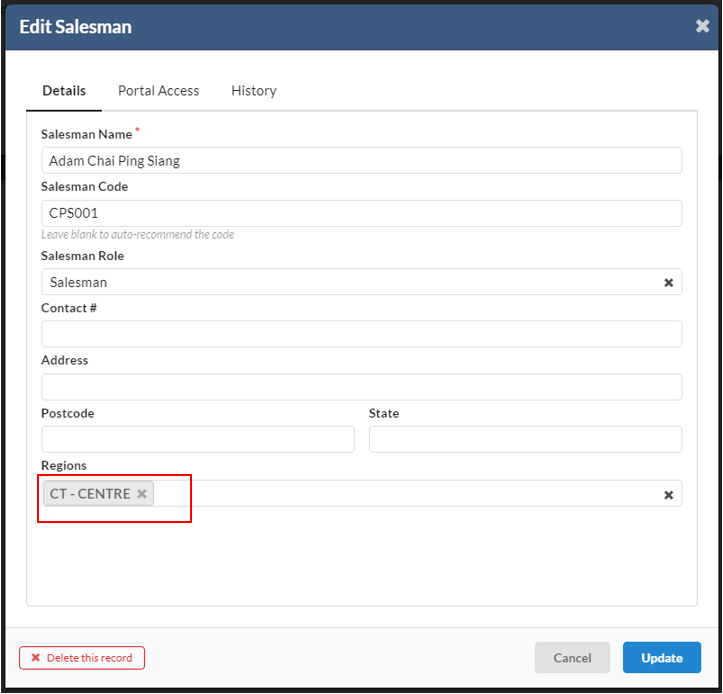
To change salesman, just click on the salesman name as above, and reselect another salesman.
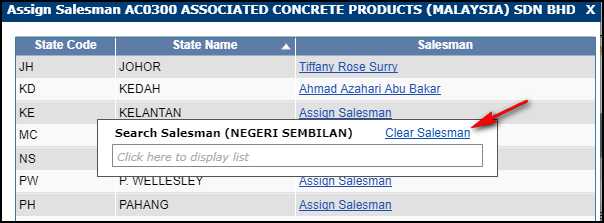
To clear salesman, click on the salesman name. User will be able to see Clear Salesman button as below. Click that button. Salesman name will be removed from the assigned state.
Page Break
1.3 Salesman DO Auto-Tag Engine
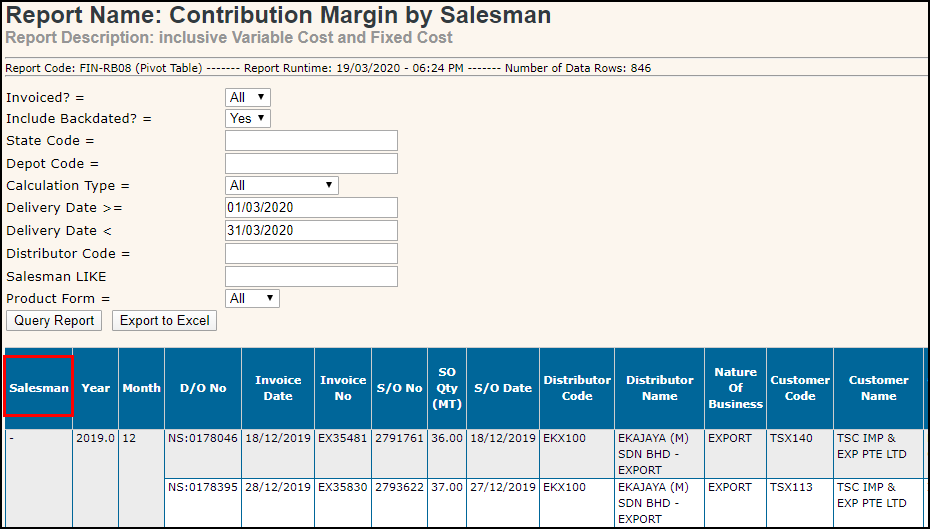
When a DO is created, the Salesman-DO auto-tag engine will automatically tag the DO with the matching Salesman Id. This allows the DO details to be aggregated by salesman via the reporting module.
- User can user report code FIN-RB08 to view the salesman that has been tag to the DO
1.4 Salesman Importer
A new importer has been created to allow the salesman records and their respective distributor/state assignment to be uploaded into the system via Excel file.
- Navigate to System > Data Import.
- Choose importer C08 – Import salesman.
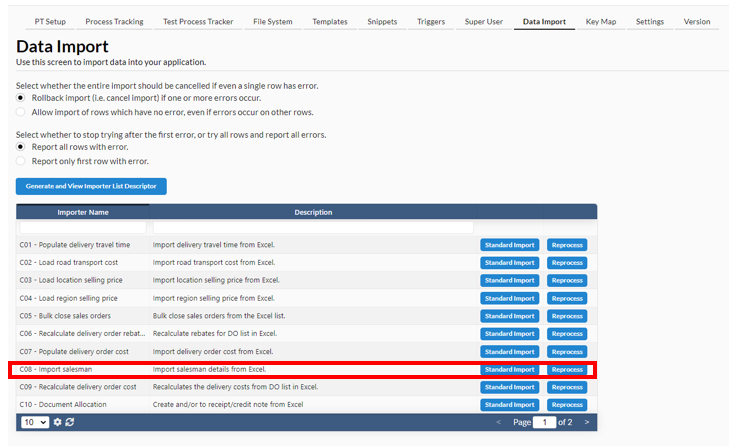
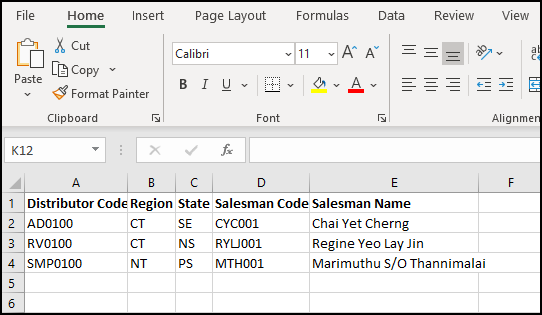
User can use Excel file format as below to upload the salesman record via importer: