
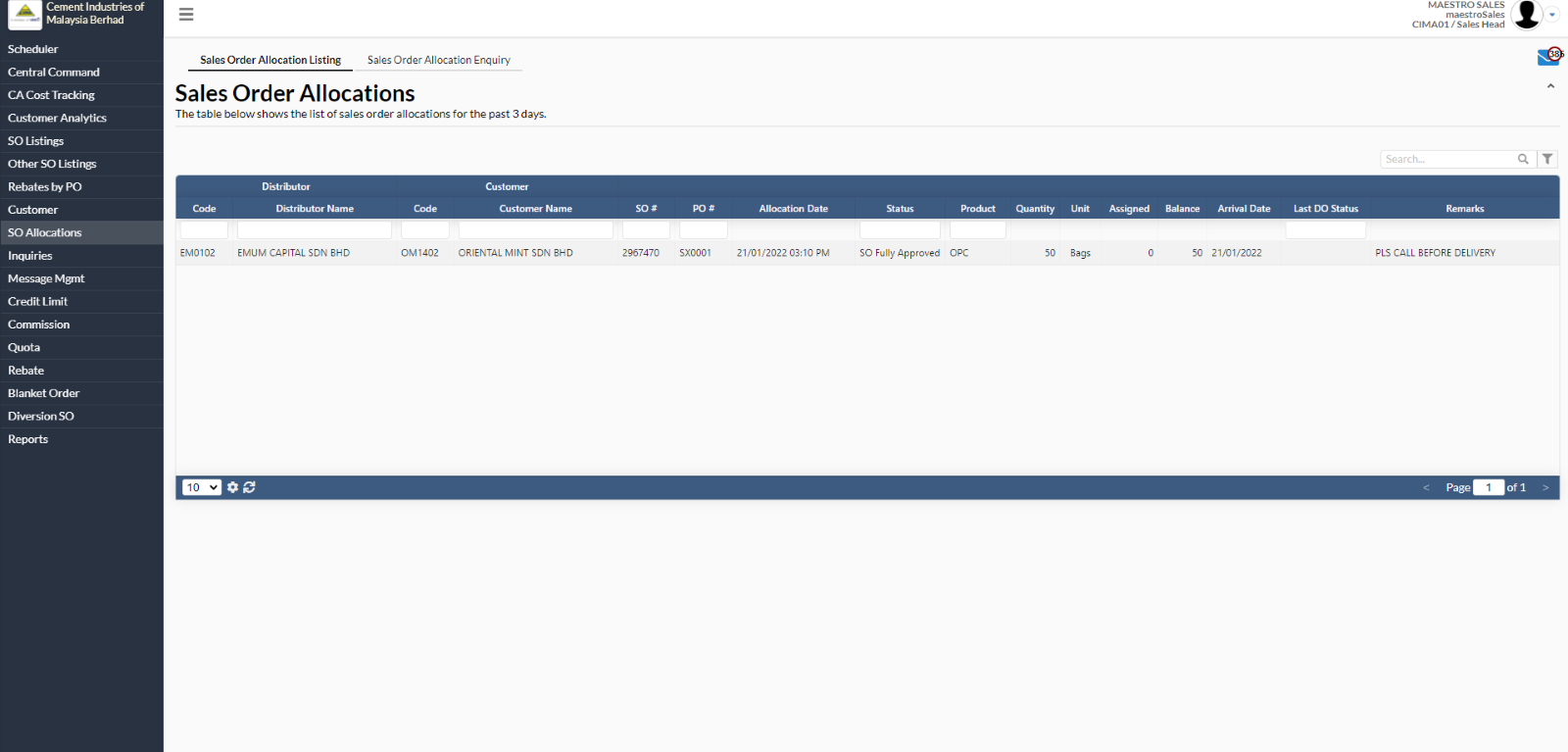
1. Sales Order Allocation Listings
- To view the sales order, user has to select at any distributor name.
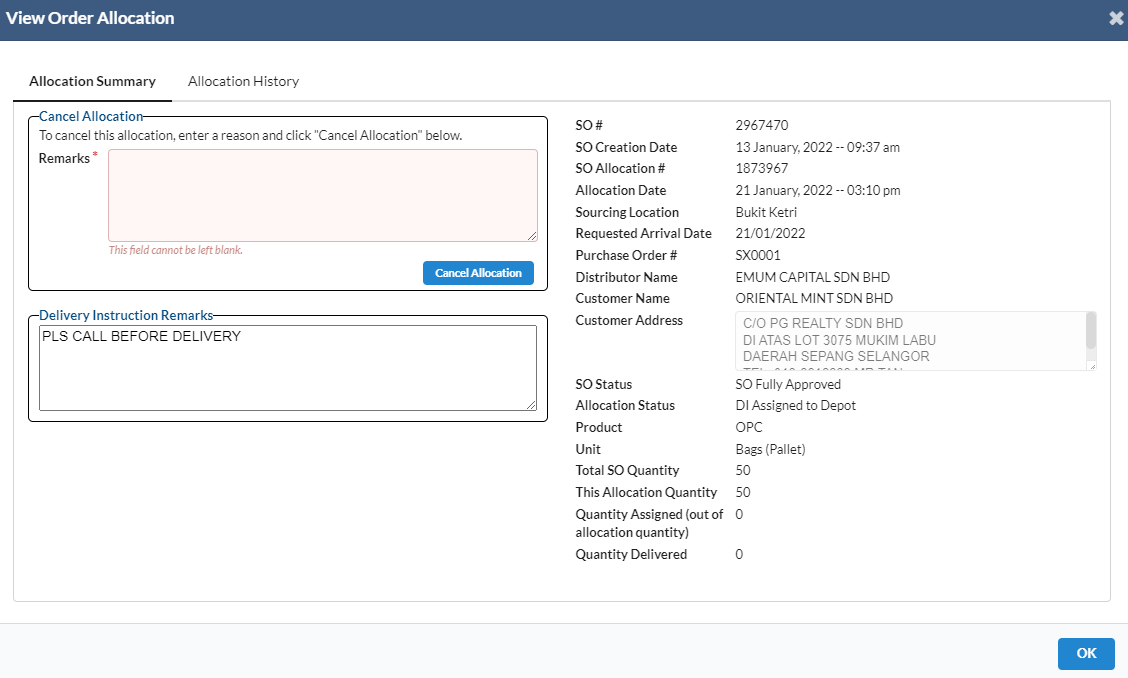
- A new dialog box will appear for user to view the order allocations.
- To cancel allocation, user has to enter the remarks under cancel allocation area. After that, click on “Cancel Allocation” button.
2. Sales Order Allocation Enquiry
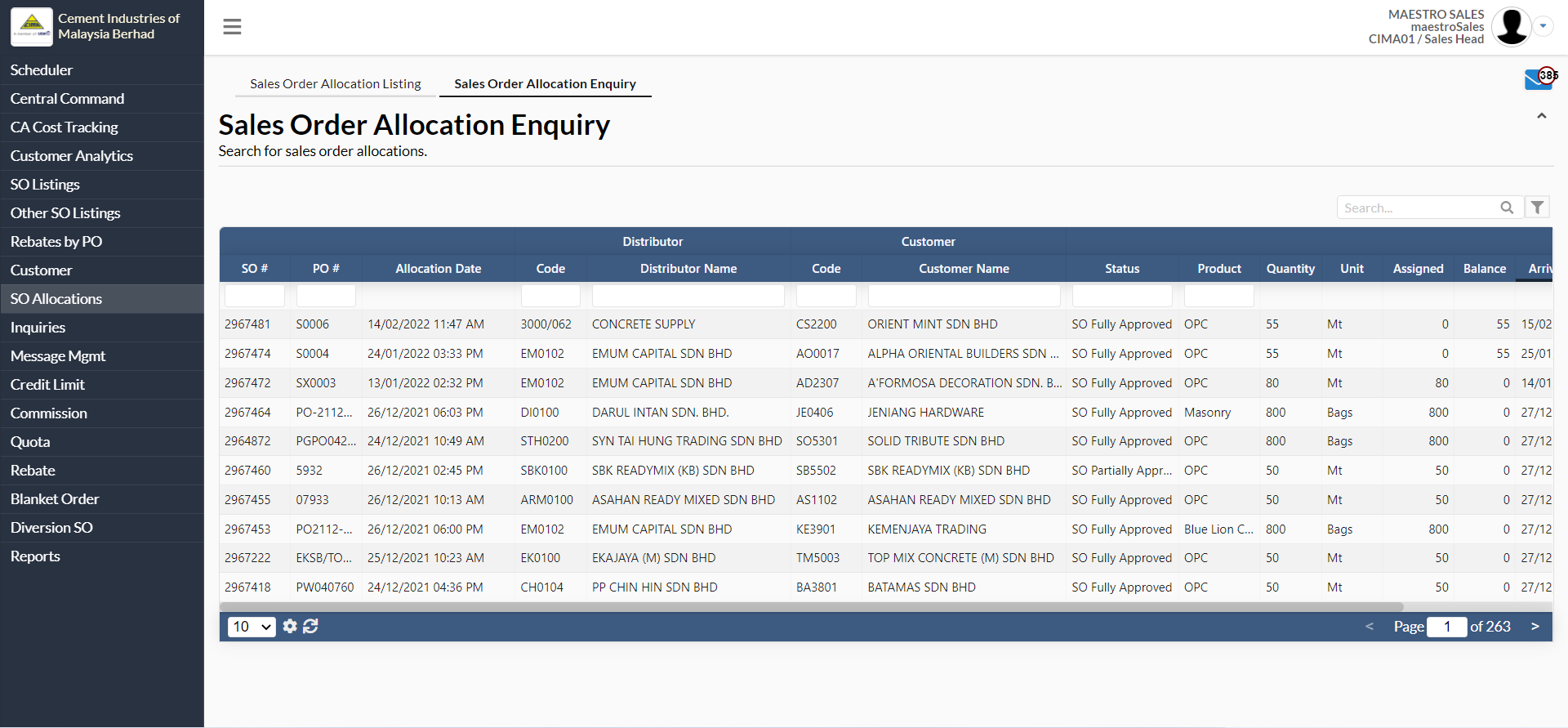
- To search for sales order allocations, navigate to SO Allocations -> Sales Order Allocation Enquiry.
- Click at any intended sales order.
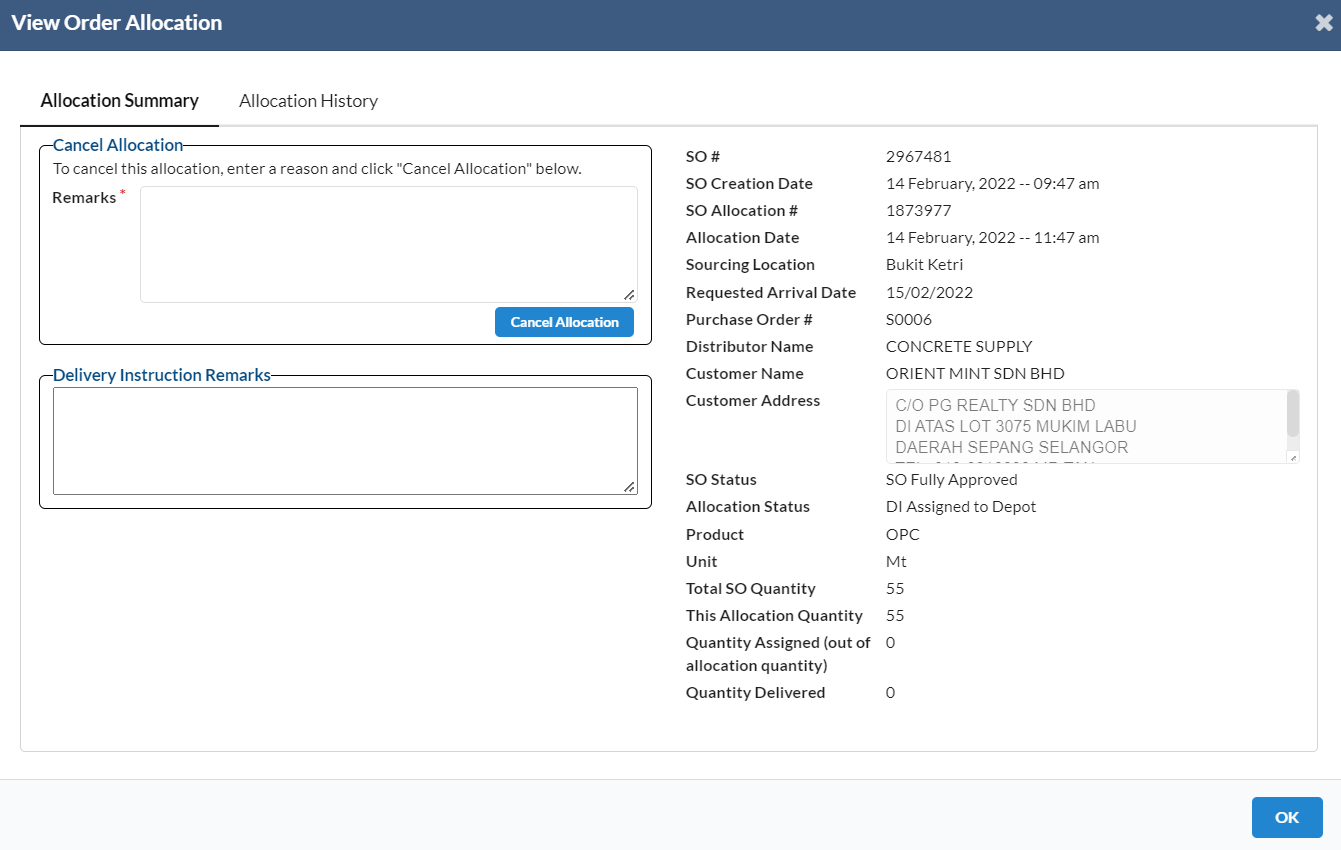
- A new dialog box will appear for user to view the sales order details.
- User can also cancel the sales order allocation by filling in the remarks and clicking on "Cancel Allocation" button.
- User can search for the sales order allocation by using the parameters:
- SO#
- PO#
- Code
- Distributor Name
- Customer Name
- Status
- Product
