
1. Awaiting Allocation
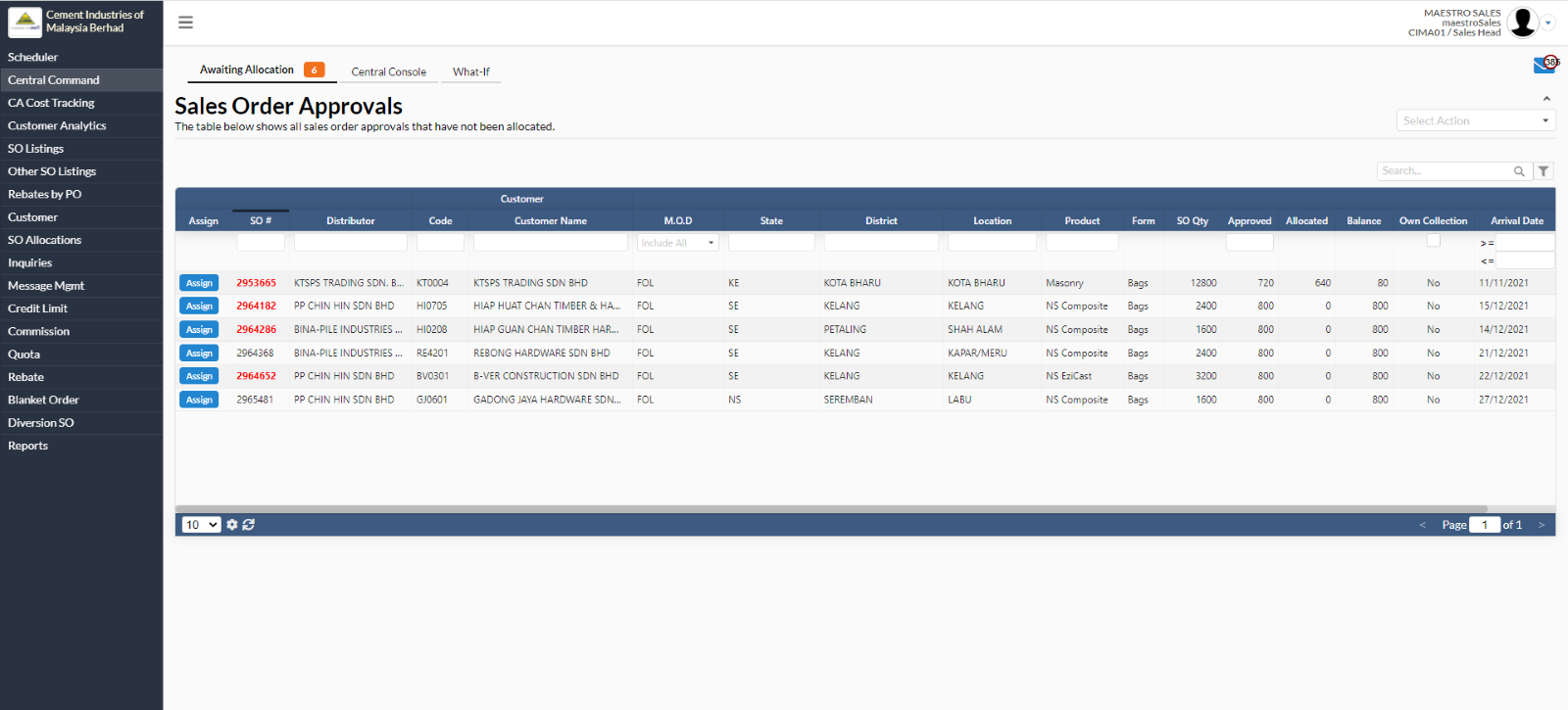
This is the Central Command page and it has three views which are:
- Awaiting Allocation (Shows all sales order approvals that have not been allocated and the UI is same as Scheduler -> Awaiting Allocation)
- Central Console (Launch CIMA Central Command & Control Console)
- What-if
2. Central Console
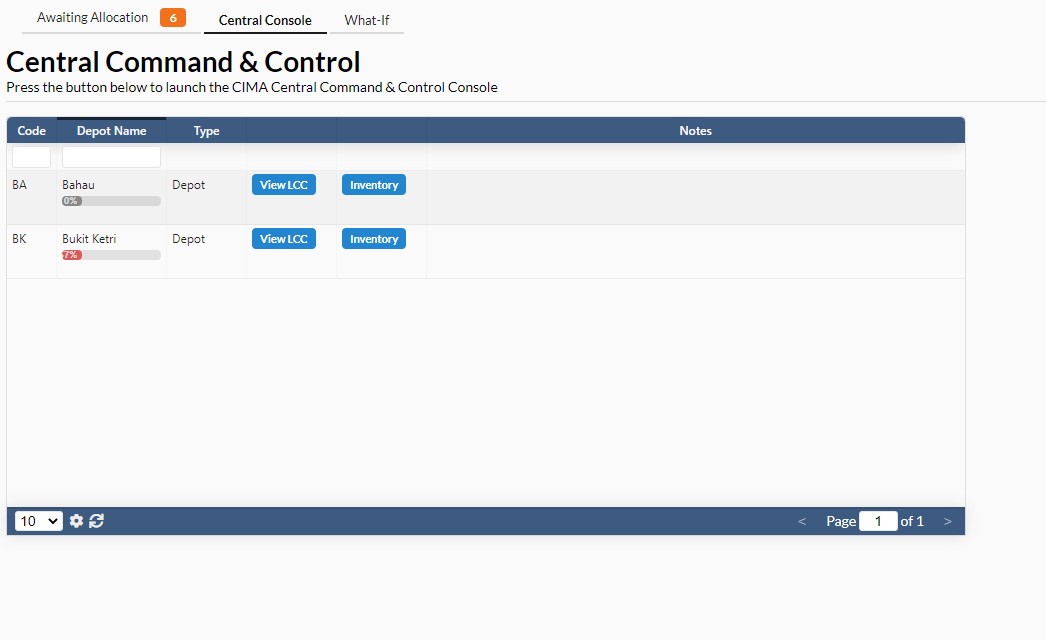
In Central Console tab, it contains two action box which are
- View LCC
- Inventory
2.1. View LCC
- After clicking on “View LCC” button, a new page will appear as shown in below:
- There are two action boxes under “Unassigned Orders” tab which are “Reassign” and “Kickback”.
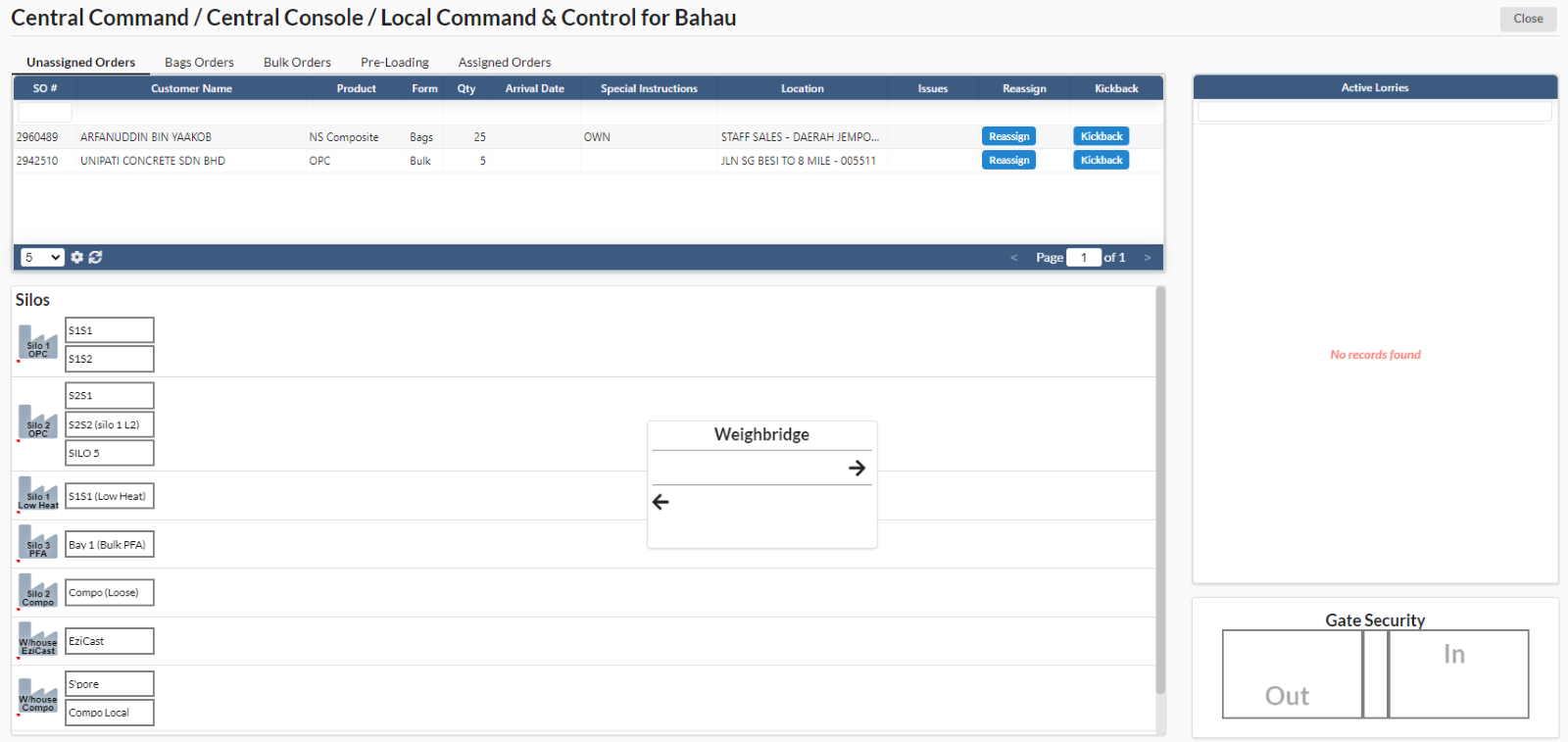
It contains five views (top navigation buttons) which are available on this page:
- Unassigned Orders
- Bags Orders
- Bulk Orders
- Pre-Loading
- Assigned Orders